


Student Printing
UWF has uPrint kiosks and multi-function print devices available for student printing. Just use your Argonet account and print from any computer to any uPrint kiosk or MFP (multifunction printer).
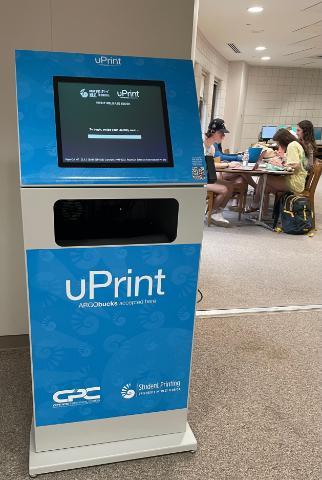
Student Printing utilizes 12 b/w and 4 color multifunction printers (print, copy, scan) as well as 12 uPrint color print kiosks to provide lower prices per print, additional services such as copy and scan, as well as various paper sizes added at MFPs.
Do I need to set up an account to be able to print?
No. You will use your Nautilus Card to swipe. The only form of payment is ARGObucks (general account; not meal plan or Dining Dollars).
How do I pay for my prints?
Nautilus Card ARGObucks (declining balance account) will be the only form of payment. For more information on how to load ARGObucks to your Nautilus Card, visit Paying for Prints.
How do I print to a kiosk?
Follow the instructions at How to Print to Kiosk.
Can I print from a USB drive?
Yes, you can at MFPs but not at kiosks.
Is there a file size limit for uploaded documents?
Files being sent over the UWF network may not be larger than 32MB.
After I upload a document to print, how much time do I have to print it?
You have 2 hours to print your document.
What should I do if I get bad prints or copies?
Email auxservices@uwf.edu with your username, ID number, description of issue and how many pages of what size were affected. In addition, please include a photo of bad prints or copies.
What If I Have Unused WEPA Funds?
For refunds, students need to contact the WEPA Technical Support team to request the refund.
Wepa Technical Support Operational Hours are Monday – Friday, 6am-6pm CST.
Phone: 1.800.675.7639 / help@wepanow.com
Contact Us
Student Printing
Maera Bradberry, Associate Director
maerabradberry@uwf.edu
Office: 850.857.6071


