


Nautilus Card
The Nautilus Card is the official UWF identification card. It is also a library card, copy card, access card, declining balance card and meal plan card.
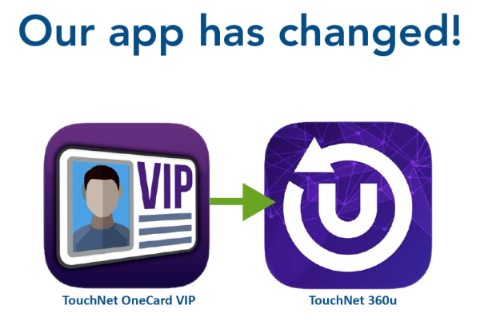
TouchNet 360u App Puts the Nautilus Card on Your Phone
Visit the Apple Store or GooglePlay and search for "TouchNet 360u" app. In the app, you will be asked to search for your school which can be found using "UWF." Sign in with your Argonet ID and password. Each time you make a purchase using your Nautilus Card, your account balance is displayed at the point of purchase. You can also see your account balances anytime in the app! Also, you can deactivate your card from the app if it is lost or stolen. We can issue you a new card in our office.
Obtaining Your Nautilus Card
If you are a student, faculty or staff of the University of West Florida, you are eligible to get a Nautilus Card. All students attending class on the Pensacola campus are required to obtain a card. There is a $10 I.D. fee for students the first semester on campus which recurs annually each fall semester. The fee is not for a new card each year, but covers the cost of ongoing services provided by the program. (For students attending a face-to-face Orientation, the initial cost is included in the Orientation fee.) If the original card is lost, stolen or damaged, there is a replacement charge of $15.00.
Students must be registered for classes at UWF in order to receive a Nautilus Card.
Step 1: Students may make payment for the ID fee with cash, check or money order at the Cashier's Office. New employees complete the New Employee Nautilus Card Form (pdf).
Step 2: Students bring your receipt showing payment of the fee and a government issued photo I.D. to the Nautilus Card office Bldg. 20W, Rm. 162. Employees bring the completed form with signatures and government issued photo I.D. to the Nautilus Card office.
Step 3: Your photo will be taken and the card printed while you wait. Your card is active from the date you receive it through the time you separate (transfer, graduate, etc.) from the university.*
* For students, Nautilus Card privileges are active while you are enrolled for classes at UWF. For employees, card privileges are active while you are employed at the University.
Nautilus Card Policy: Things You Cannot Wear In Your Nautilus Card Photo
- You cannot wear hats, scarves, or other headwear that completely covers your hairline. The exception is if it is part of your religious attire like a turban or headscarf. Even then, your face must be visible from your hairline to your chin and from the front of one ear to the front of the other.
- Sunglasses or tinted eyeglasses are also not allowed in ID card photos. If you normally wear eyeglasses, you can wear them in the photo as long as the frames don't cover your eyes. You also can't wear contacts that make your irises appear larger or smaller, change the color of your eyes, or obscure your eyes.
- Lastly, you cannot wear anything temporary like Bluetooth devices, headphones, one-time facial decorations like team logos from a sporting event, or temporary tattoos.
- You will be photographed in front of a light background, so contrasting clothing is best.
Examples of where you can use your Nautilus Card
Library (check out books, database research). Access (gain access to services and events such as the Aquatic Center, HLS Facility, check out recreational equipment, student and athletic events, Local Area Network). Make Purchases & Payments (deposit funds to your card to use for vending, laundry, making copies/scans, printing kiosks and MFPs, Postal Services, Bookstore, Dining Services meal/block plans, and more).
Contact Us
Nautilus Card
Meghan Dinwiddie, Manager
idcard@uwf.edu
Office: 850.474.3325


