


Social Media Videos Best Practices
Social-first videos, or videos created solely to be posted on UWF’s social media channels, should feel energetic, authentic and immediately capture the attention of our audiences. Achieving this starts at the planning stage and is punctuated with the perfect caption and posting cadence. See below for guidelines to consider when creating videos for social media.
Planning
- At the outset, identify the purpose and audience of the video, the posting schedule, and all relevant participants. From that, build a comprehensive shot-list of everything needed to tell the story. The more you put into planning, the easier it will be to capture your assets and the more you will have to work with once you enter the editing phase.
- Consider possible collabs for further reach. Direct message those accounts to notify them of the posting schedule ahead of time so they know to accept the collab if they wish.
Capturing
- Preferably, use a video camera when filming, although using a phone with the correct settings can give you plenty to work with. Whether a camera or phone, make sure to film in 4K, 24 fps (or 60 fps if you want to make the footage slo-mo), 1x zoom. Make sure the camera lens is clean and the lighting is sufficient. Avoid areas with harsh lighting that creates intense shadows or washes out the subjects.
- B-roll: In addition to primary shots, capture more secondary or b-roll footage than you think you will need. Your final video will require lots of varied footage to intermix with primary footage in order to keep the video fast paced for a social media audience. Get a variety of shots and no less than 10-20 options to work in. Incorporate still photos if needed. B-roll shot examples:
- Wide shots of the environment
- Medium shots of people
- Close-ups
- Details and textures
- People interacting
- Hands doing things
- Reactions
- Behind-the-scenes moments
- Movement
- Different angles of the same activity
- Establishing shots
- Unexpected/fun moments
- When filming, hold your shots at the beginning and end so there is room to cut around the action.
- Backgrounds: Review the area for any distracting, easy-to-move items. Ensure nothing is appearing to protrude from your subject.
- Primary footage: Make sure that the primary footage is shot at a high-resolution and wide enough so that there is flexibility with cropping and including text overlays. You can always crop in, but you cannot create video information where there is none. Keep your subjects(s) toward the middle of the frame.
- If you need to shoot wide, you can size the video as a square, 3:4 ratio, or even horizontal if that serves the setting and subject matter best. Background graphics are available to layer video footage over if needed.
- Interviews: Instruct your subject to give you a 5-10 second elevator pitch for what they are doing. You can layer in other bits of information from the interview, but they will need to summarize it concisely as well.
- Often the interviewer will sum up their point at the end which is a great way to start a video for social. Don’t be afraid to rearrange the content in the interview to help the flow.
- Make sure all participants have access to a microphone, as the sound needs to be consistent between all subjects. The content should be easy to hear and understand.
Editing
- Use appropriate software: It is strongly recommended to use a laptop with industry standard video editing software instead of phone apps whenever possible. Quick, timely story posts are more forgiving, but high-quality videos are harder to achieve using a phone app.
- Time-limit: Social videos should be around :30-:45 seconds, and whenever possible, aim for one minute or less. It is very rare for the video to be compelling enough to require more than one minute.
- Cut entire sections if they are not necessary, long pauses, “um”s, awkward moments, introductions, anything not essential to the story.
- Use your extensive b-roll shots to cover your cuts (although a more engaging pacing is more important than a perfect cut.)
- Keep it moving: The video should capture attention within the first 3 seconds and imagery should change ideally every 2-5 seconds. Cut to the most interesting part first, then go back to the beginning. Intermix stills and b-roll with primary footage. You should stay on a still image no more than 3 seconds, preferably applying a zoom animation to keep the video moving. Include graphics and text overlays, but do not open with a logo as that gives the immediate impression of an advertisement.
- Hype Videos: If the video is specifically a hype video, dynamic transitions may be required to splice together various b-roll and high action footage.
- Consider trending editing styles such as picture-in-picture, overlaying multiple videos, etc.
Graphics
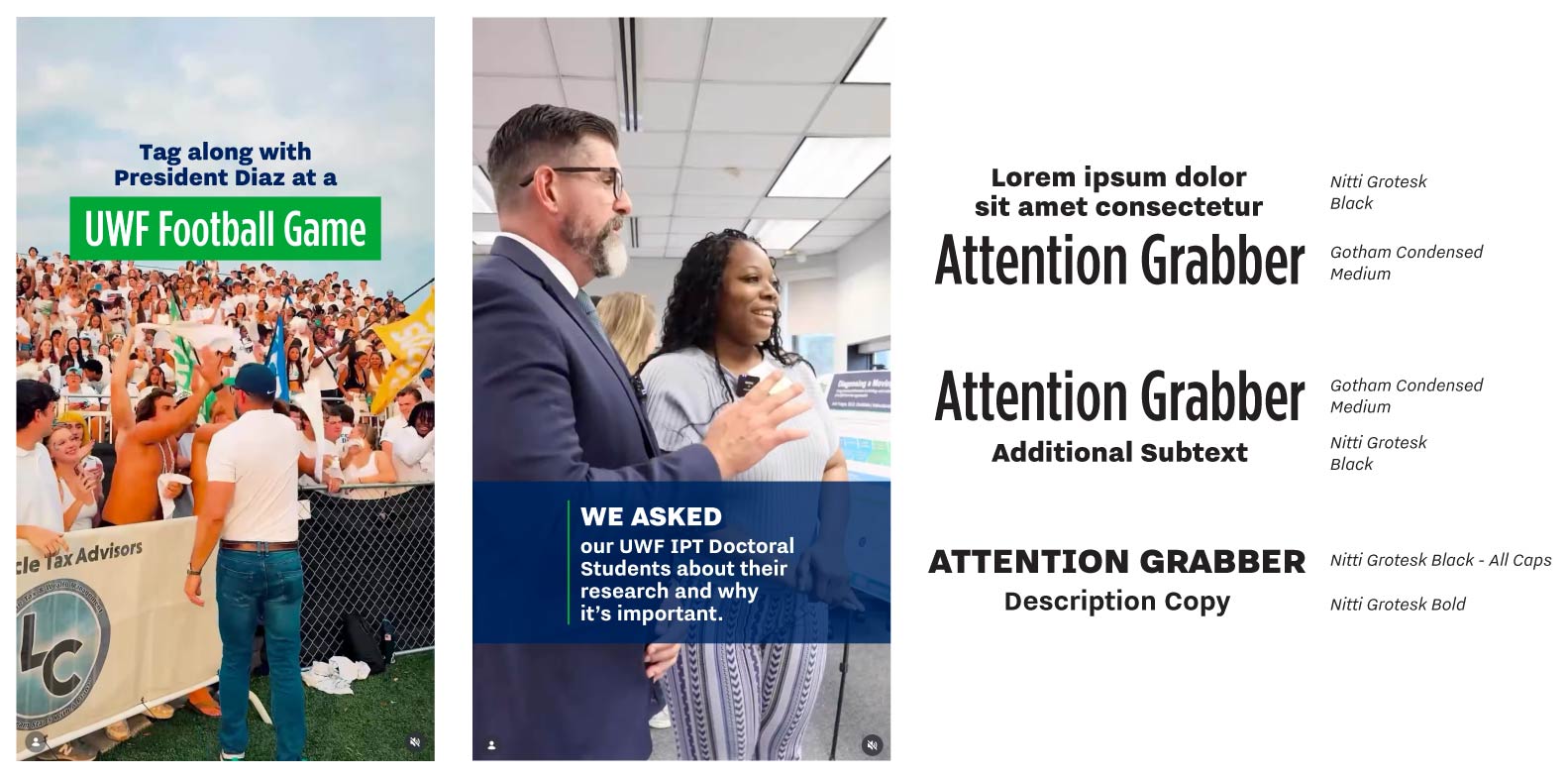
- All graphics should follow UWF brand standards using our color palettes, typefaces, logos and graphic elements appropriately and consistently.
- Text should be large and legible for various audiences and phone sizes. Carefully consider hierarchy for ease of navigating the text and graphics as well as the background for text. Adjust for contrast and legibility.
- Make sure the additional text and graphics do not cover important video information like faces or subject matter.
- Text should be limited to intro, outro and key information/context as needed such as lower thirds.
- All text and graphics should be safely within the safe zone. Do not put important visual information too high, too low or too far off to either side.
- Closed captions should be made available and burned in whenever possible.
- See examples below and use our Adobe Express template here.
Examples of lower thirds, logo placement, caption style, safe zones and font pairings.
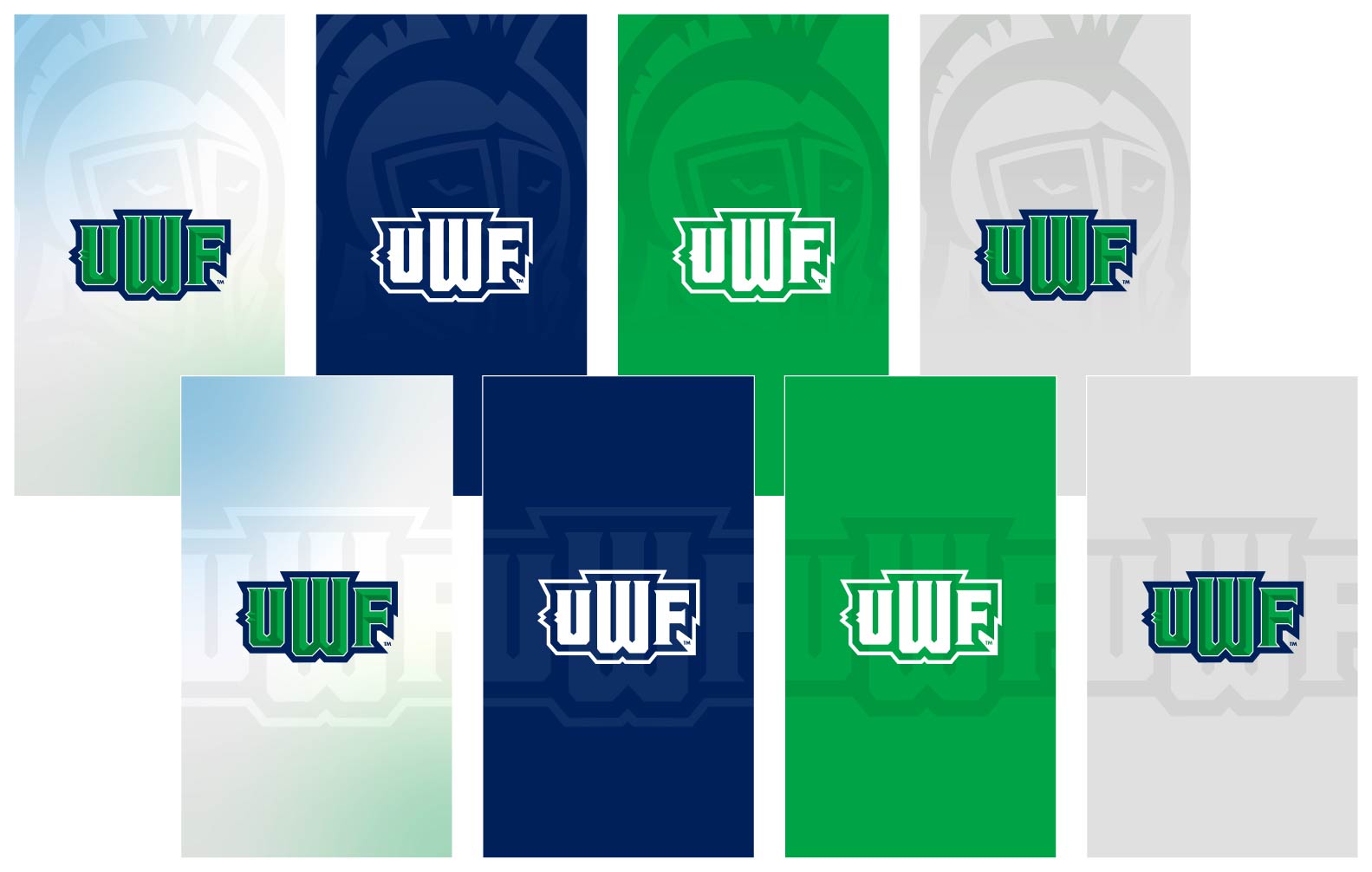
Adobe Express Template: Social Media Video Text Overlay
Sound
Use music intentionally. There are many stock music options, as well as sounds available in social media editing apps. The tone should be determined on the outset and the music should follow suit. It should enhance but not overpower the video and messaging.
Subtitles
- To be ADA compliant, we have to include subtitles on videos where the subject is speaking. Apps and AI tools can be a helpful place to start, but please carefully review them for spelling, grammar, punctuation, capitalization and AP Style errors.
- Use approved brand fonts and colors for subtitles to maintain consistency.
Review/Editing Timelines
- The posting schedule should be considered for timeliness to ensure you have enough time to execute a high-quality video and the team has enough time to review and provide feedback during normal business hours.
- For videos that are determined to require a quick turnaround, plan in advance to make sure the team is on call for reviews after hours if necessary.
Do’s and Don’ts
Do:
- Stay focused on the story and goal
- Keep the video fast-paced and engaging
- Follow brand standards and guidelines
- Ensure all text is legible
Do Not:
- Open with a logo
- Linger on uninteresting footage
- Put text or graphics over a person’s face
- Use several or inconsistent fonts and graphics
- Overuse transitions