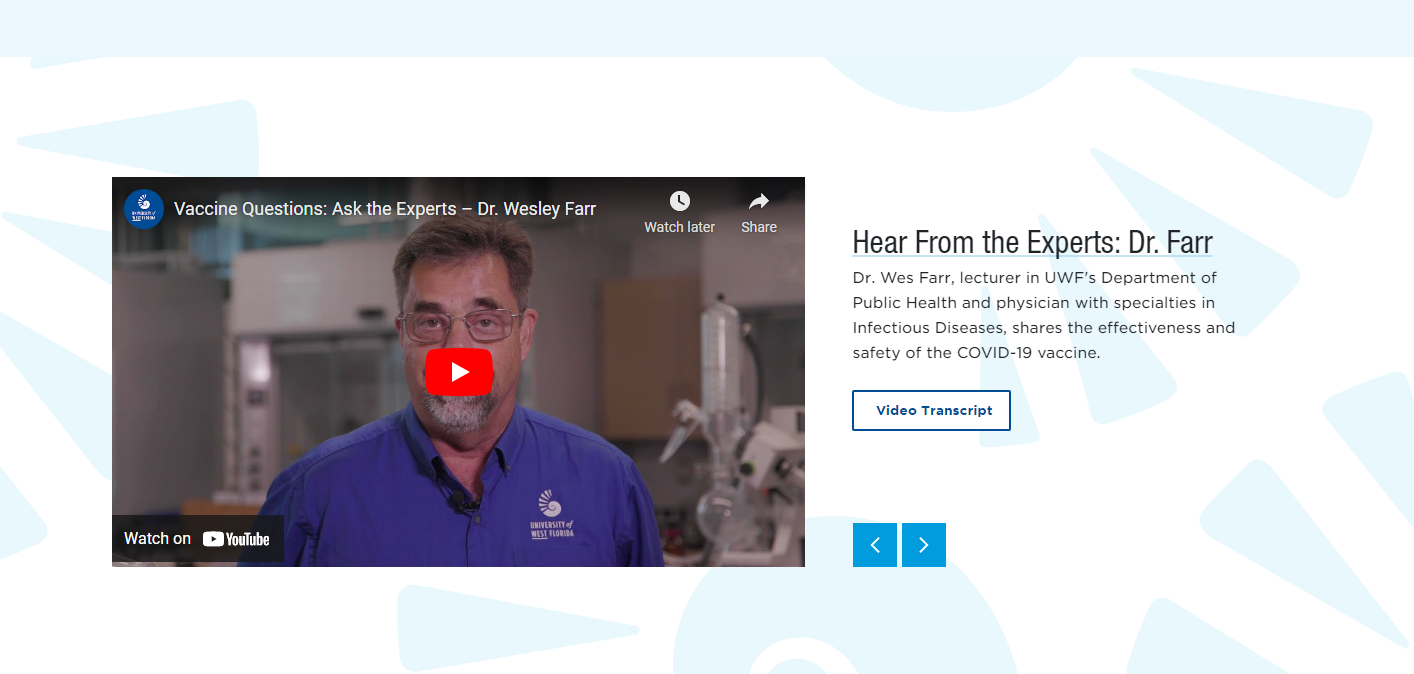
FW YouTube Carousel
Used to feature multiple YouTube hosted videos on a fullwidth landing page in a scrolling carousel.
Important Information
Transcripts are required for all recorded audio and video. A txt file is recommended. For accessibility management, do not upload a PDF as the transcript.
As with other carousel content types, add one instance per video, and align them next to each other in the T4 content listing to automatically form a carousel.
At a Glance
- Requires Placeholder: No
- Placement: Almost anywhere
- Special Setup: None
Content Type Elements
FW YouTube Carousel contains the following elements. Each carousel is a separate piece of content. The heading option only needs to be entered once.
- Name - Used in Sitemanager only. This does not show up on your webpage.
- Section Heading - Only fill out for first carousel item
- Title - For example “Careers & Outcomes”
- Internal Link - Select List from Site Structure
- External Link - Enter full link including https://
- Description - This is the description text
- YouTube ID - Paste the ID only here (not the full URL)
- Transcript - Select transcript from the media library. A txt file is recommended. For accessibility management, do not upload a PDF as the transcript.
- Audio Description - Select the audio description file from the media library
- Audio Description External Link - Enter the external link for the audio description
FW YouTube Carousel: Example